For your workday
The project link from your team. Choose your Work profile and arrive with the account you intended.
Chrome · Work
 browter.Try Browter
Open links in the browser or profile you actually want. A quick choice for work, personal browsing, and everything in between.

15-day free trial · US$2.99 one-time purchase
Choose browser to open the desktop wheel preview.
Simulated desktop and example profiles. No real links open; demo history stays in this page.
Browter gives your links the same freedom.
You decide where each one belongs.
The project link from your team. Choose your Work profile and arrive with the account you intended.
A weekend plan. A personal inbox. Pick your Personal profile and keep your own space, your own.
A preview you need to test. Select a different browser and see your work from another angle.
An explicit choice, every time. Browter v1 does not automatically route domains to profiles.
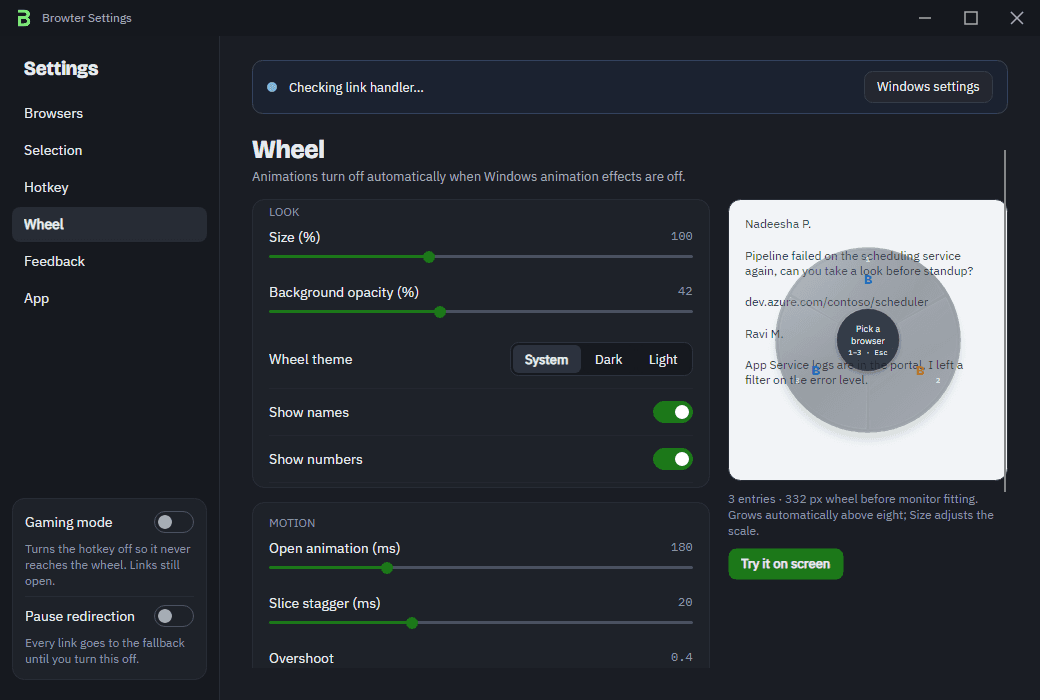
Add entries for work, personal and client contexts. Choose the exact browser and profile you intend to use.
Alt + Q by default, customizable in settings. Shift + click is an alternative where supported.
Nothing armed? Links handed to Browter go to your fallback browser. Pause selection from the tray, or use gaming mode to keep the wheel out of the way.
Choose your everyday browser, then set Browter as your Windows HTTP and HTTPS link handler.
Open the wheel with Alt + Q. Choose a browser or profile to arm it for the next eligible link.
Open your link while the choice is armed. Browter passes it to the selected browser or profile.
For Windows 10 22H2 and Windows 11 23H2 or later, on x64 and ARM64. Discover installed browsers, add profile entries, and test each destination in Settings.
Compatibility detailsBrowter does not send your links to a server. Your browsers, Microsoft Store and this website have their own data handling.
How privacy worksTry it free for 15 days.
One purchase unlocks the browser wheel. No Browter subscription.
Regional prices may differ.
See your local price in Microsoft Store.
No. It’s a browser chooser and Windows link handler. Browter sends links to your existing browsers and profiles.
Links handed to Browter by Windows open in your configured fallback browser. Ordinary links stay ordinary.
No. You explicitly select the destination. Automatic URL and source routing rules are outside v1.
It handles links handed to it by Windows. Browser-internal links, embedded viewers and apps that bypass Windows defaults can behave differently.
Get Browter from Microsoft Store. Try it free for 15 days, then unlock selection features with a one-time purchase. Regional prices and checkout terms are shown in the Store.
Follow the setup sequence, choose a fallback, and know what to check when a link bypasses your choice.
A practical guide to default browsers, one-off choices, and the difference between a browser and a link handler.
Keep work and personal sessions easier to recognize, then make a deliberate choice about where each link belongs.
For Windows · 15-day free trial · US$2.99 one-time purchase